Introducing a new side project: flowtorio.
flowtorio is a local, Markdown-based issue tracker. GitHub repo is here.
The goal is simple: keep issue tracking readable as Markdown files in a scriptable and readable format. There are no accounts, no network calls, and no database. The software itself is a single binary written in go.
Why I built it
Most issue trackers are built for hosted, multi-user workflows. That is useful in many cases, but for local planning, solo work, and small project tracking, I wanted something simpler:
- Human-readable Markdown files
- Command-line workflow
- Friendly for humans, UNIX tools (
grep,git,sed, etc.) and coding agents - No service setup or dependency on a remote system
What it does
flowtorio lets you manage issues from the CLI, with commands you’d expect in a basic issue tracker.
Core workflows:
- Create issues
- Move issues through configured states
- List and filter issues
- Edit key/value tagging to every issue
- Output issue lists as text, TSV, or JSONL
- Generate or serve a local Kanban-style site from the same files
Issues are stored as Markdown files in issues/, with frontmatter for fields like id, title, state, timestamps, and created_by.
Workflow states are configurable (default is backlog, in-progress, done).
What it looks like in use
A quick example:
flowtorio init
flowtorio add "My first flowtorio issue"
flowtorio list
flowtorio site serve
That gives you a working local tracker, a CLI workflow, and an (optional) dynamic local board view.
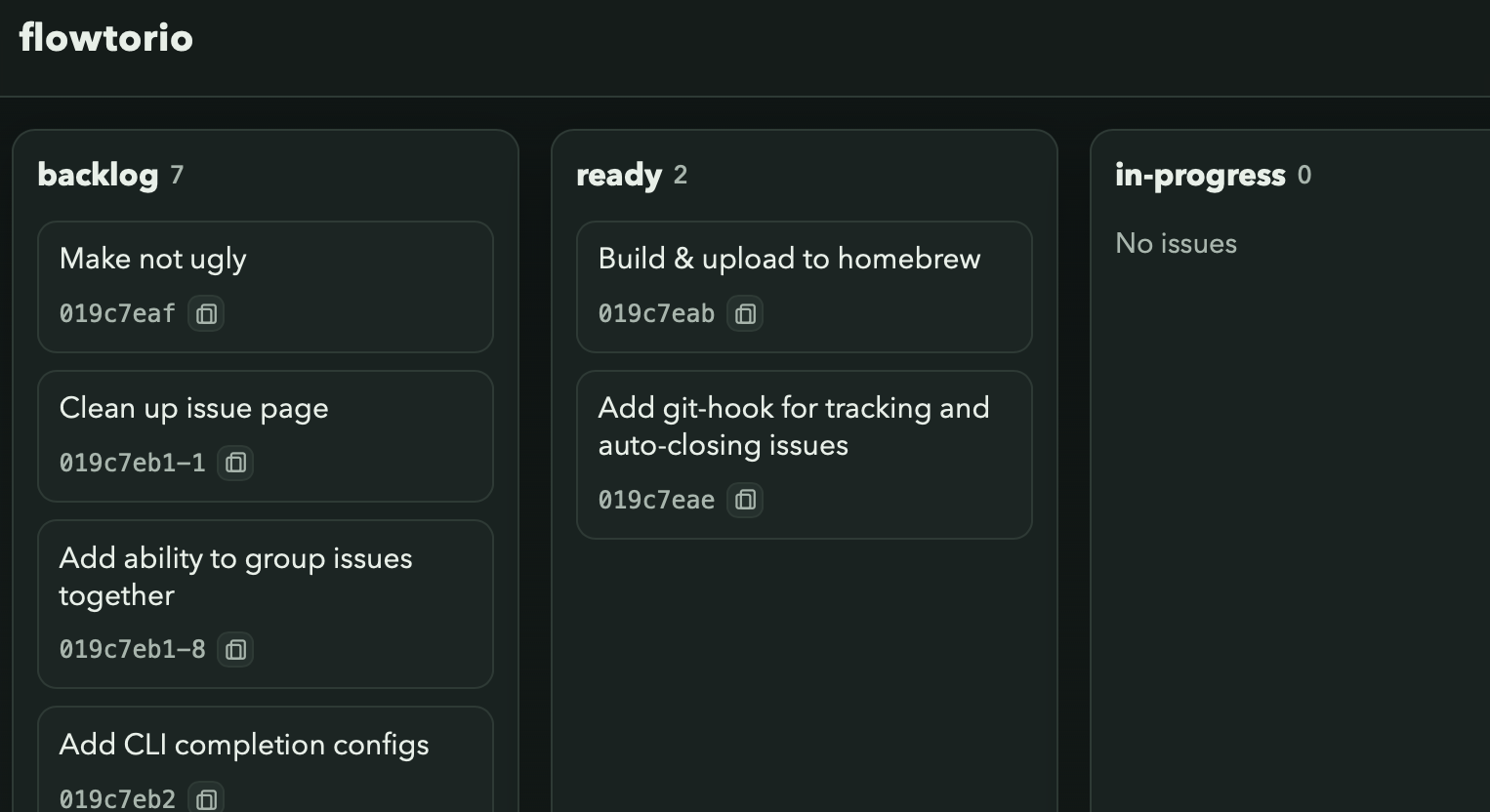
To move an issue to the next state, like from backlog to in-progress, you can either use the local board view (via site serve) or run:
flowtorio mv <issue>
To add a new field to your issues, like assignee, you would update your config in your flowtorio install that was created by init above, with the field name and default value. An example using assignee is commented out and could be uncommented out for this example.
Then, you would run:
flowtorio fields sync
This would then allow you to assign values to issues using:
flowtorio set <id> <field> <value>
and then filtered using
flowtorio list --field <field>=<value>
The full list of commands can be seen by either running flowtorio with no arguments, or by perusing the help docs.
What it is not
flowtorio is not a hosted project management platform.
It is not meant to replace tools built for large teams, permissions, integrations, or real-time collaboration. The focus is narrower: local-first issue tracking with plain files and a CLI.
Current status
This is an early release, but the main workflow is usable now:
- Initialize a project
- Create/edit/move/close issues
- Configure states
- Query/filter issues
- View a local Kanban board/site
I expect the next improvements to come from real usage and workflow feedback.
Who may find it useful
flowtorio is probably a good fit if you:
- Prefer CLI workflows
- Want issue tracking that lives with your project files
- Care about plain-text data and Git history
- Want a lightweight tracker without a service dependency
Getting started
Visit the GitHub repo here for build and install instruction.
Then start with the quick start docs for a 2-3 minute setup walkthrough.
Feedback
If you try it, the most useful feedback is:
- Workflow friction (commands that feel awkward)
- Missing commands/flags
- Docs gaps
- Bugs or confusing behavior
Real examples of how you want to use it are especially helpful.